Nsight Systems
Overview
Tutorial: 45 min
- Objectives:
Understand the basics of Nsight Systems and how to use it for profiling applications.
Nsight Systems is a system-wide performance analysis tool. It is widely used to profile CUDA applications, but it also traces CPU activity, OS runtime calls, and communication libraries such as MPI, giving a timeline view of how the whole application behaves and where the bottlenecks are.
First, load the necessary modules.
1module load gcc/10.3.0
2module load cuda/12.9.0
Then compile the matrix multiplication application with NVCC
1cd /scratch/vp91/$USER/intro-to-profiling/code/nsys
2
3nvcc -O0 -g tiled_matmul_multikernel.cu -o tiled_matmul
-g enables debugging information.
-O0 disables optimizations to make debugging easier.
Nsight Systems profiler
Now run the program with Nsight Systems to check for performance bottlenecks
1nsys profile --trace=cuda,nvtx,osrt --stats=true ./tiled_matmul
or submit the job script
1cd /scratch/vp91/$USER/intro-to-profiling/job_scripts/nsys
2
3qsub 1_matmul.pbs
This will generate a report file with the extension .nsys-rep.
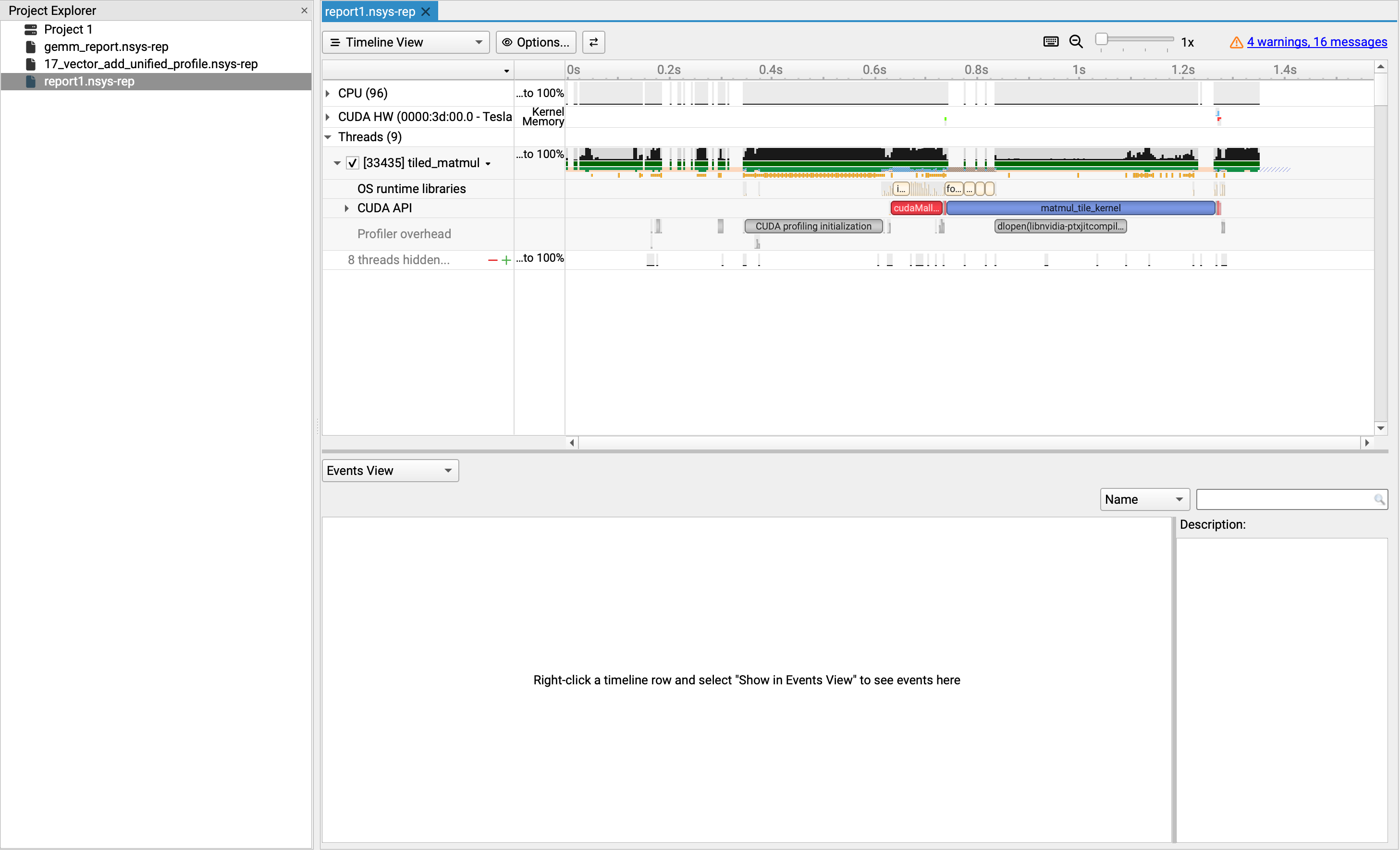
Viewing the report
1module load cuda/12.9.0
2
3nsys-ui report1.nsys-rep
On Gadi this will usualy result in an error due to missing display. To get around this, launch a Virtual Desktop session on Gadi and run the above command in the terminal available on the Virtual Desktop.
Once launched you can explore the performance data using the various views and analysis tools provided by Nsight Systems.
Key Points
Nsight Systems is a powerful tool for profiling CUDA applications.
It provides insights into kernel execution times, memory transfers, and other performance metrics.
Using Nsight Systems can help identify performance bottlenecks and optimize CUDA applications.